Commercial CRM
Companies, contacts, opportunities and commercial history stay connected to real forwarding activity.
Ocean Freight OS connects CRM, RFQs, pricing, quotations, booking and commercial communication in one freight-specific workspace — from the first customer request to the final quote.
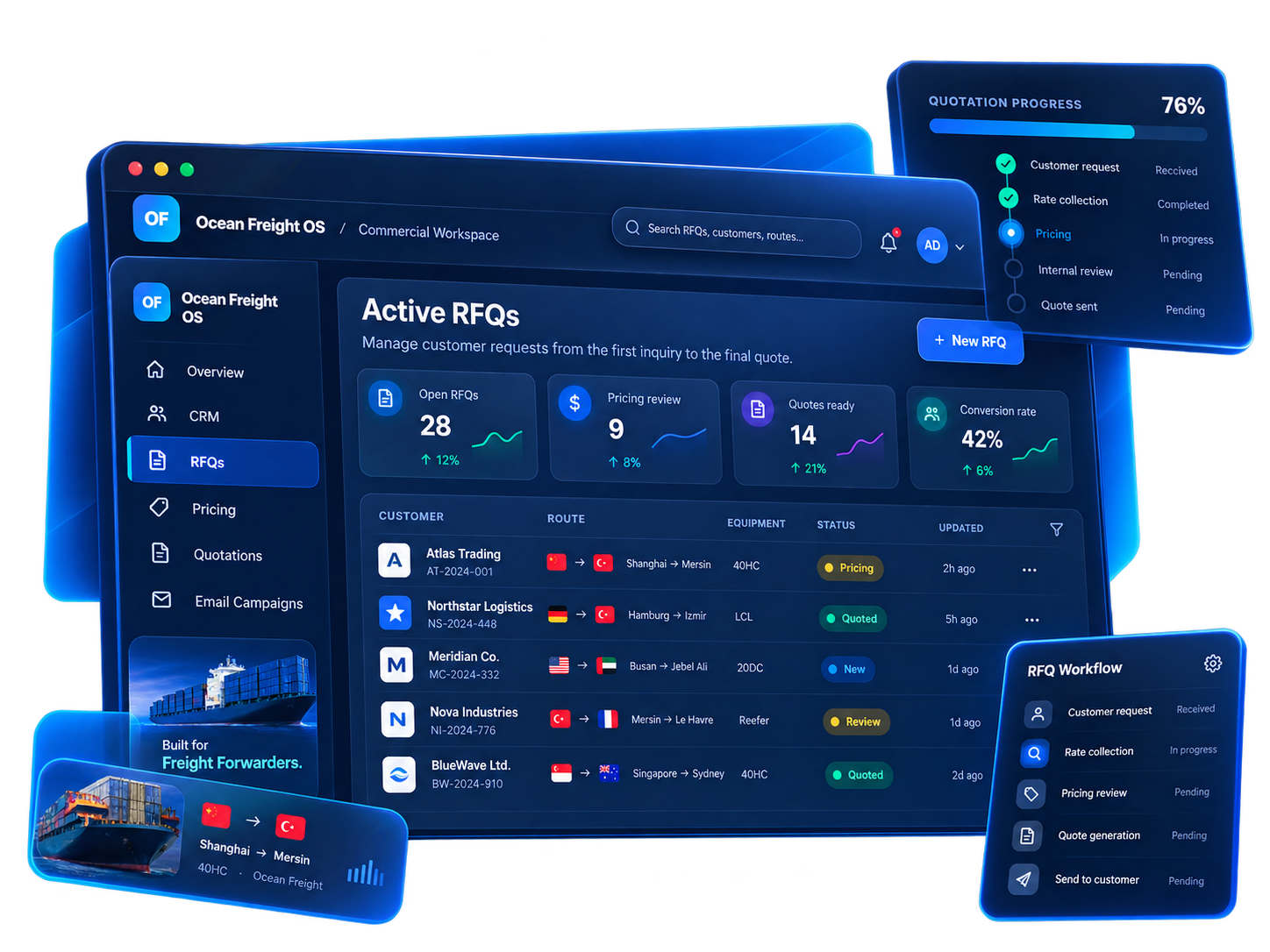
Keep customer context, RFQs, pricing, quotations, booking activity and commercial follow-up visible in the same system instead of rebuilding the same shipment across disconnected tools.
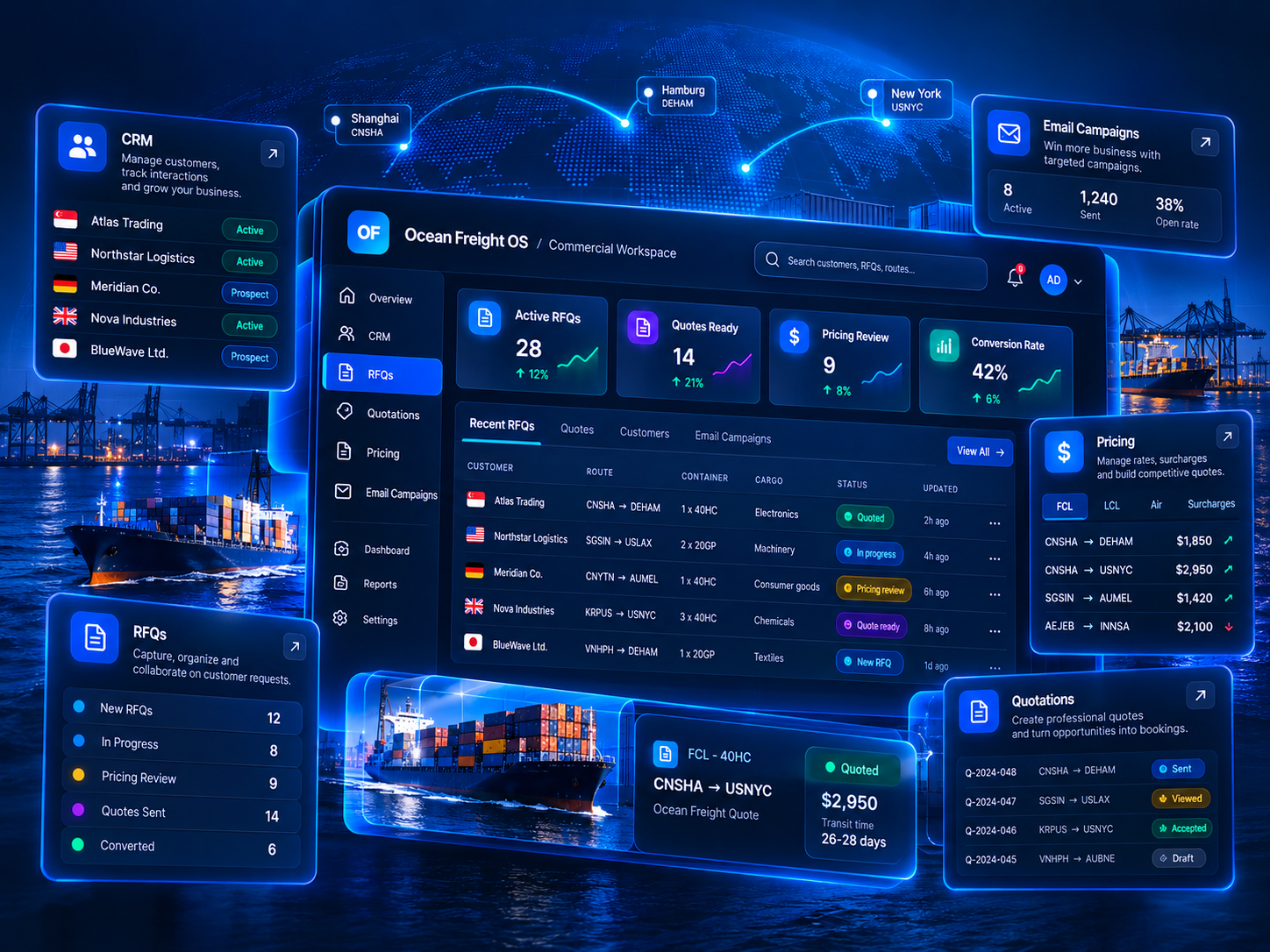
Ocean Freight OS is designed around the way freight forwarding teams actually build business.
Companies, contacts, opportunities and commercial history stay connected to real forwarding activity.
Capture route, cargo, service scope, Incoterm and equipment once and carry it through the workflow.
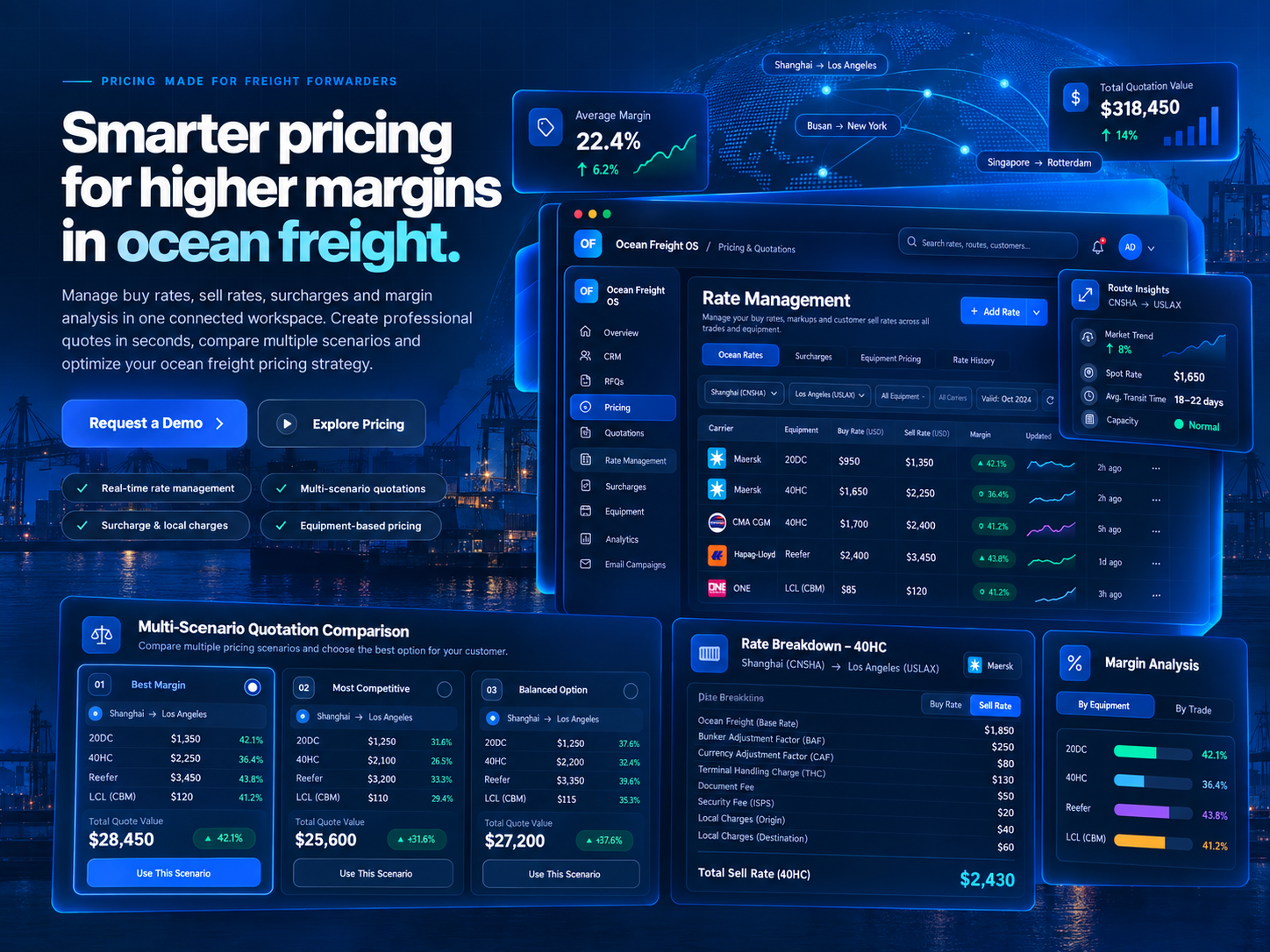
Turn one customer request into multiple commercial scenarios without rebuilding the shipment.
Manage buying rates, selling rates, surcharges and margin decisions in one commercial flow.
Use structured cargo dimensions, quantity and weight for CBM-oriented LCL workflows.
Prepare targeted commercial communication from the same customer ecosystem used by sales and pricing.
Compare buying and selling rates, structure charges, build multiple commercial scenarios and keep margin visibility close to the final quotation.
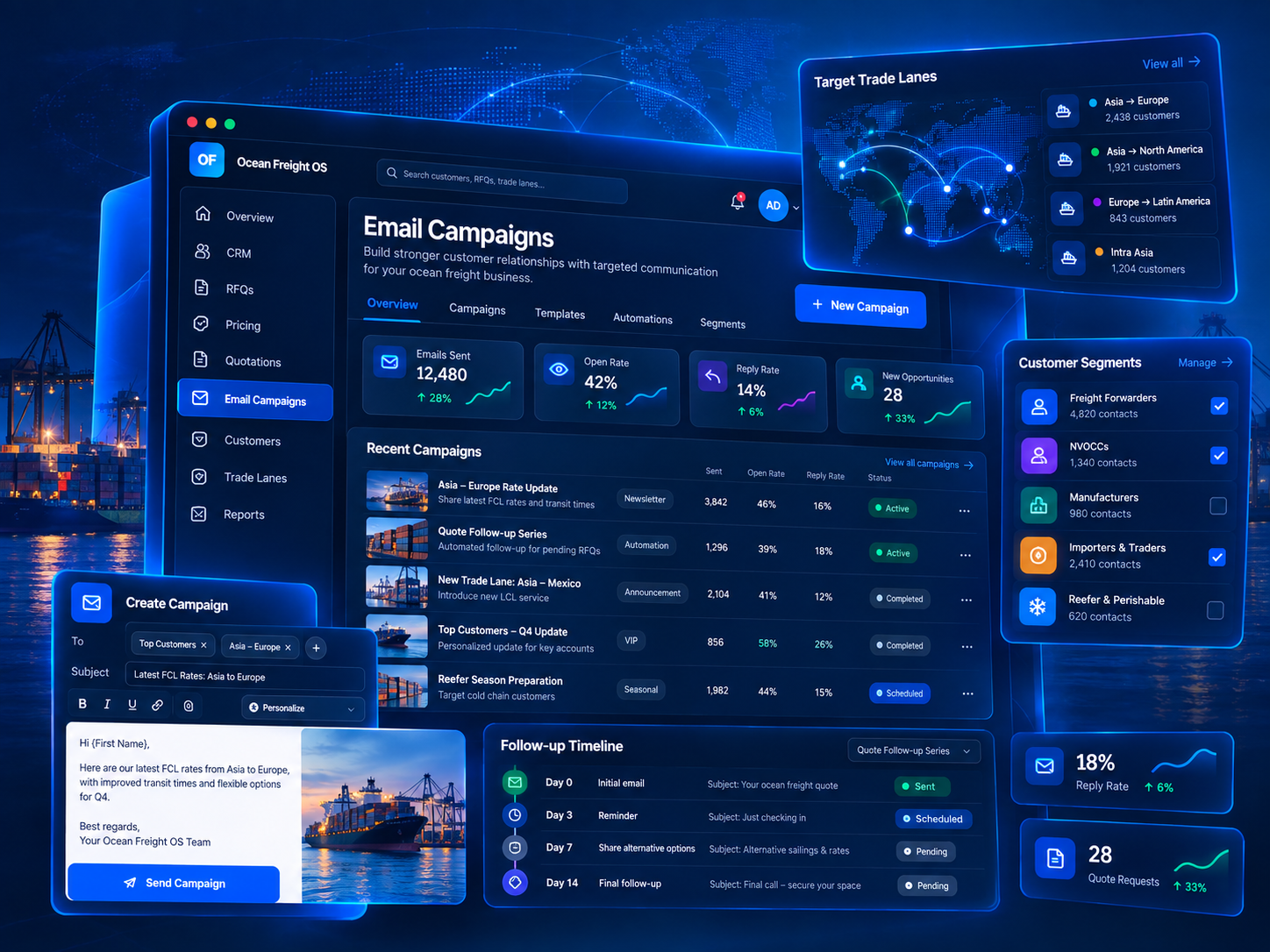
Commercial Suite brings Email Campaigns, customer segmentation and campaign history into the same environment used for CRM, RFQs and quotations.
Commercial Suite is designed to give teams clearer visibility into RFQ volume, quotation turnaround, conversion, revenue pipeline and team activity.
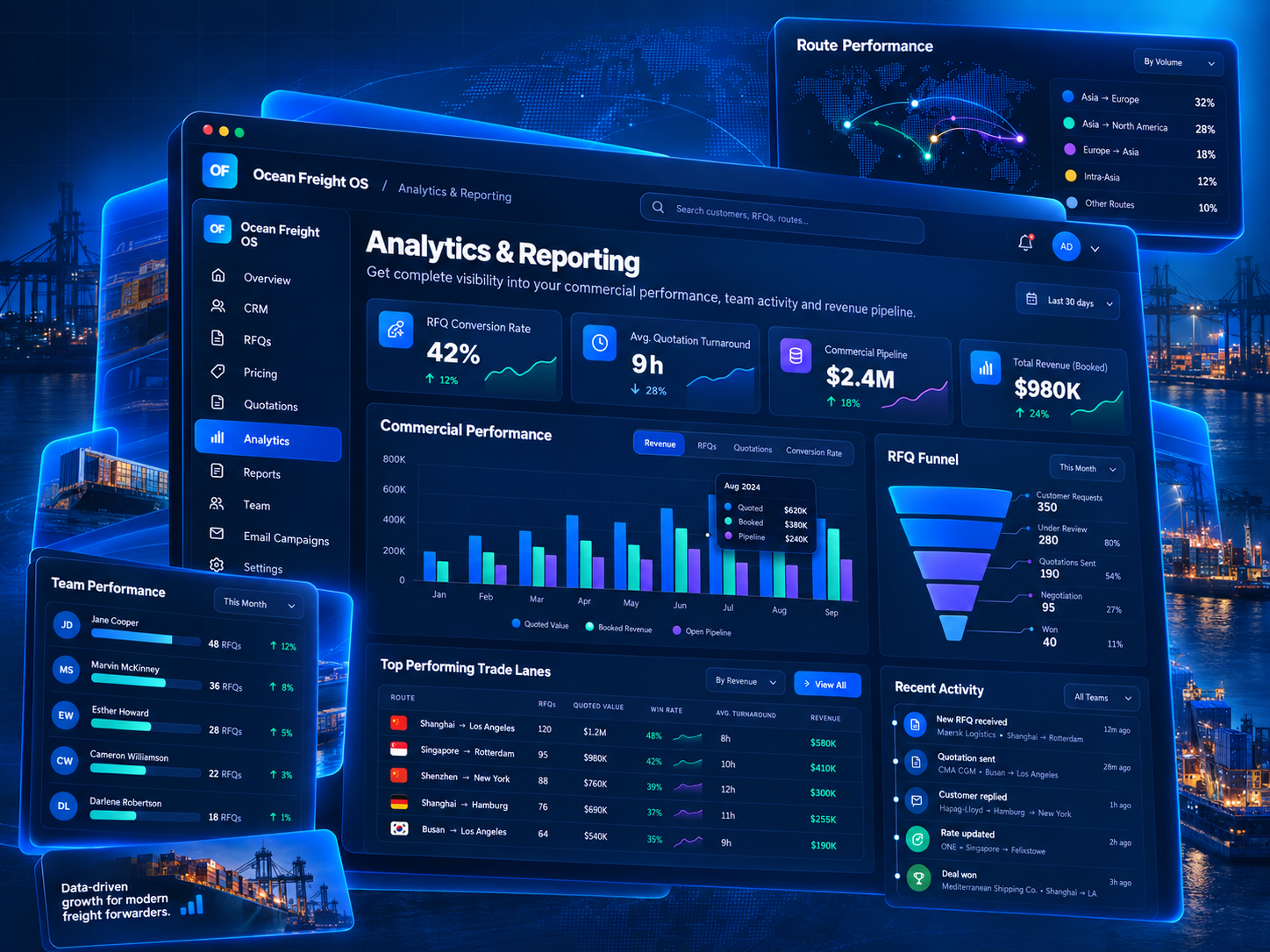
Replace fragmented spreadsheets, inbox searches and repeated data entry with one commercial workspace built around forwarding logic.
Ocean Freight OS keeps commercial context moving forward instead of rebuilding the same shipment across disconnected tools.
Three clear packages. One freight-specific platform. Start with the commercial depth your team needs today and scale when your workflow grows.
Tell us how your team handles RFQs, pricing and quotations today. We’ll focus the walkthrough on the workflow that creates the most manual work for you.